Route Calendar Guide
Last modified on
Finding award flight availability can often feel like searching for a needle in a haystack. With AwardTool's Routes feature, we've taken the guesswork out of booking your dream vacation. Instead of searching day by day, our tool allows you to instantly access up to a full year of availability for over 50,000 popular program routes.
Here is a step-by-step tutorial on how to use the Routes feature to find the best flight redemptions.
1. Discover, Search, and Filter Your Ideal Routes
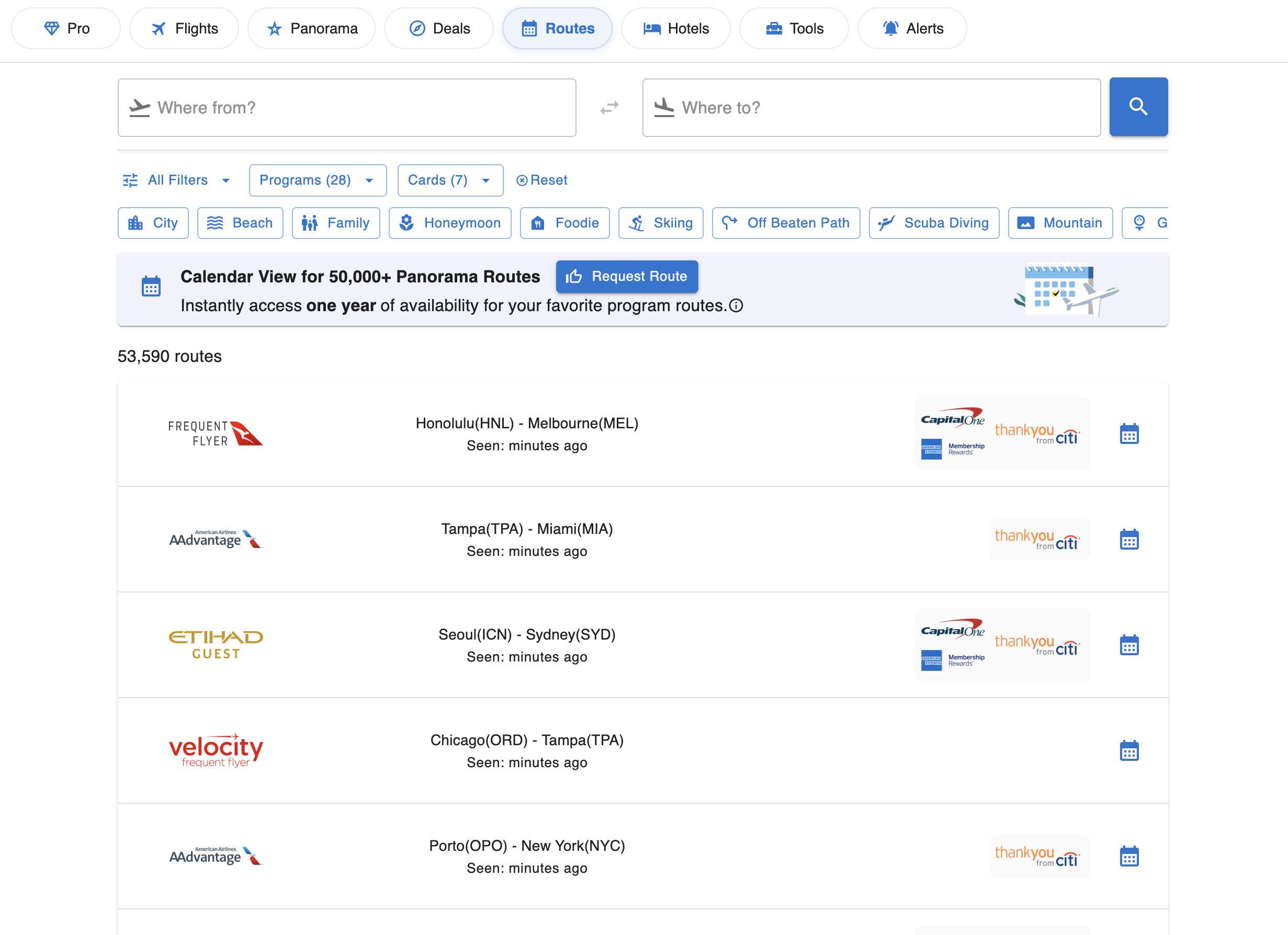
When you navigate to the Routes tab, you'll be greeted with our powerful search dashboard.
- Search Specific Airports: If you know exactly where you want to go, simply type your origin and destination into the "Where from?" and "Where to?" search bars.
- Filter by Preference: Not sure where you want to go, or trying to maximize specific credit card points? You can easily filter the 53,000+ routes by Programs (e.g., Air Canada Aeroplan, American Airlines), transferable Cards (e.g., Chase, Amex, Capital One), or by Destination Type. Looking for a "Beach" getaway, a "Skiing" trip, or a "Foodie" destination? Just click the tags to narrow down your options!
2. Request a Route
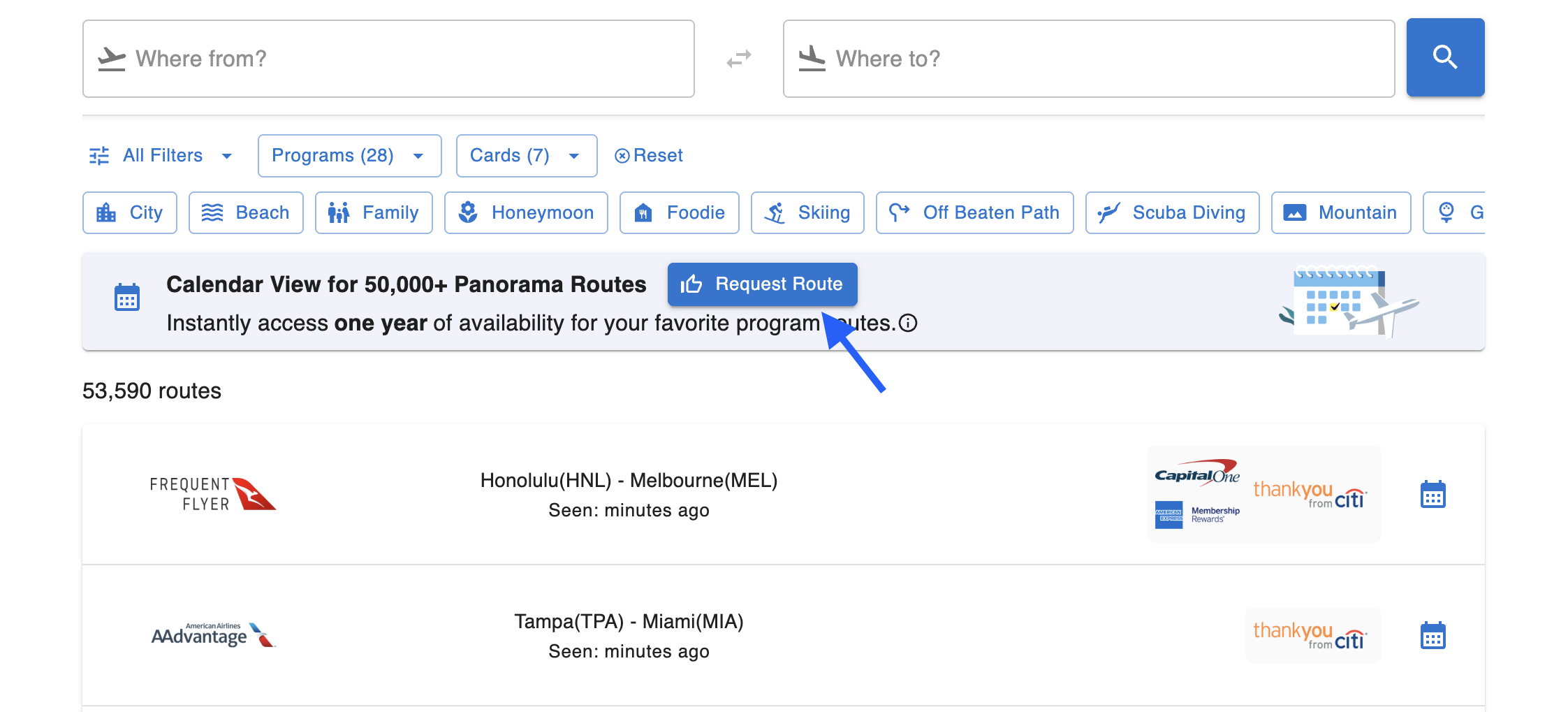
Don't see the exact route you are looking for? No problem! Everyone can request a route of their interest. Simply click the blue Request Route button at the top of the page, tell us what you're looking for, and we will add it to our system to start tracking availability.
3. Unlock Full-Year Availability
Once you find a route that catches your eye in the search results, click on the Calendar icon on the right side of the route card. Instead of showing you just a single day, AwardTool instantly pulls up the award flight availability for the entire year. This gives you the ultimate flexibility to plan your trip around the days that require the fewest points.
4. Toggle Between Calendar View and List View
Everyone digests data differently, so we offer two distinct ways to view your year-long route availability:
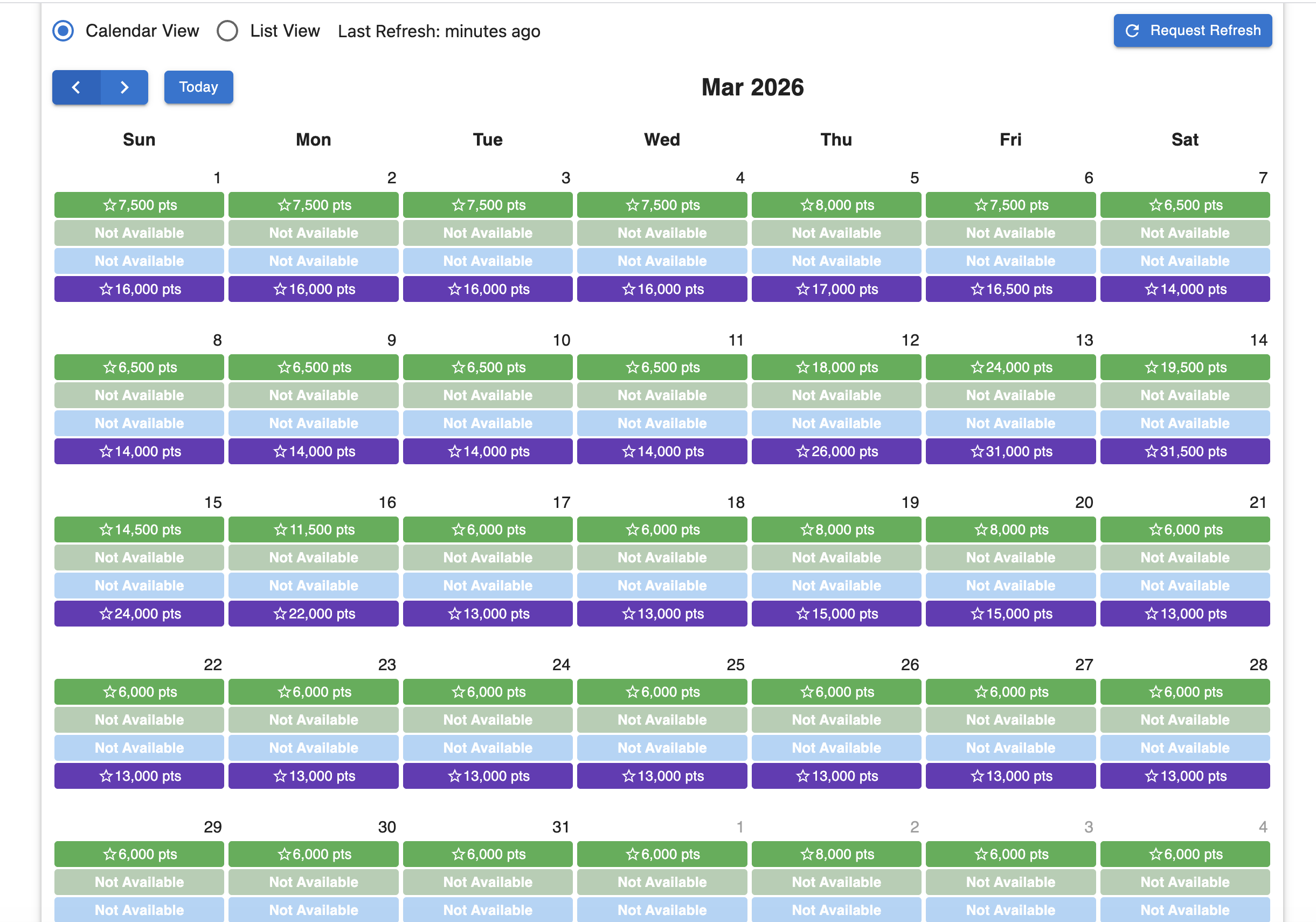
- Calendar View: This view gives you a beautiful, color-coded monthly calendar. It highlights the lowest point requirements for each day across different cabin classes (Economy, Premium, Business, First). It's the perfect bird's-eye view for spotting trends and finding the absolute cheapest days to fly.
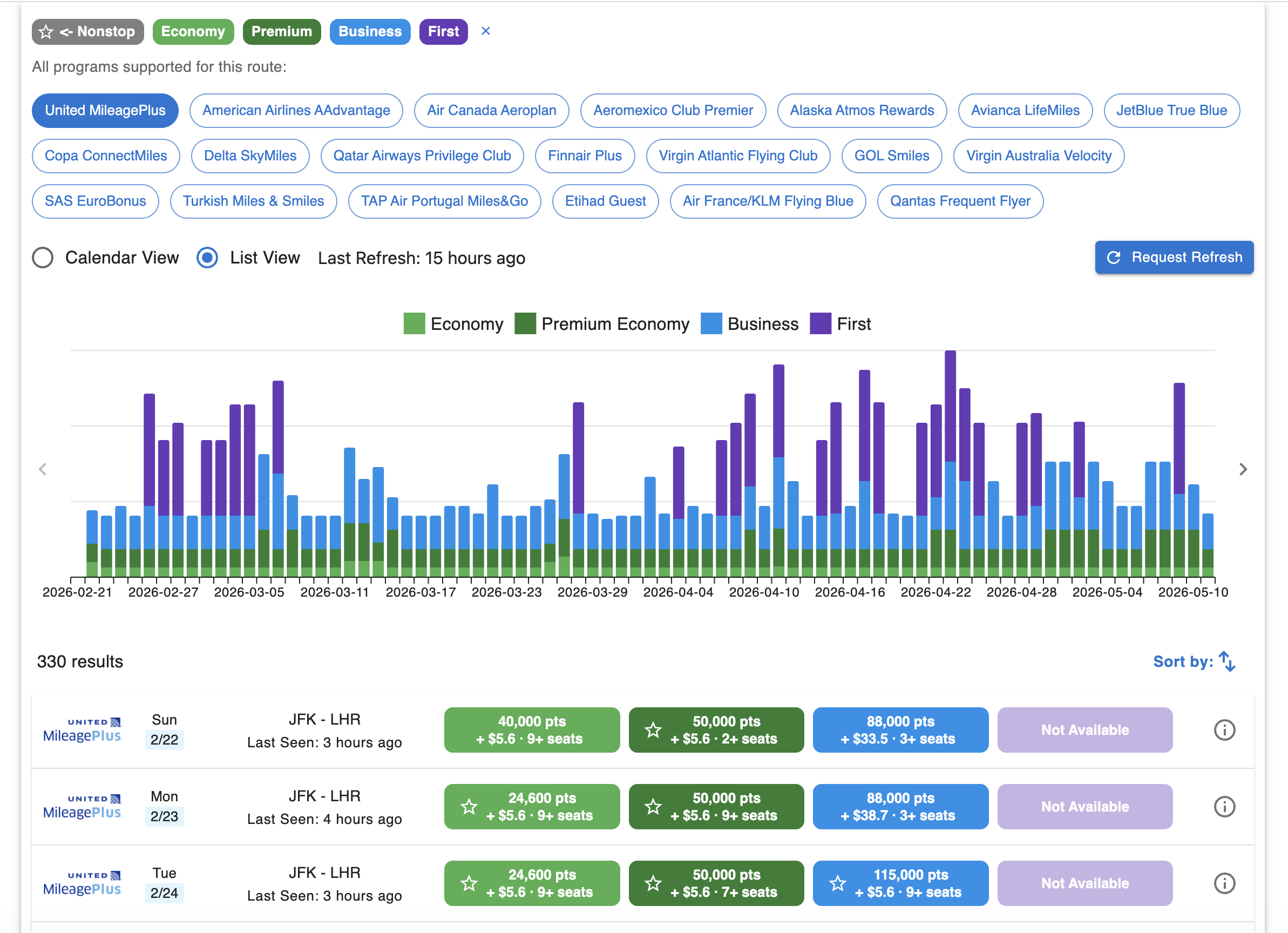
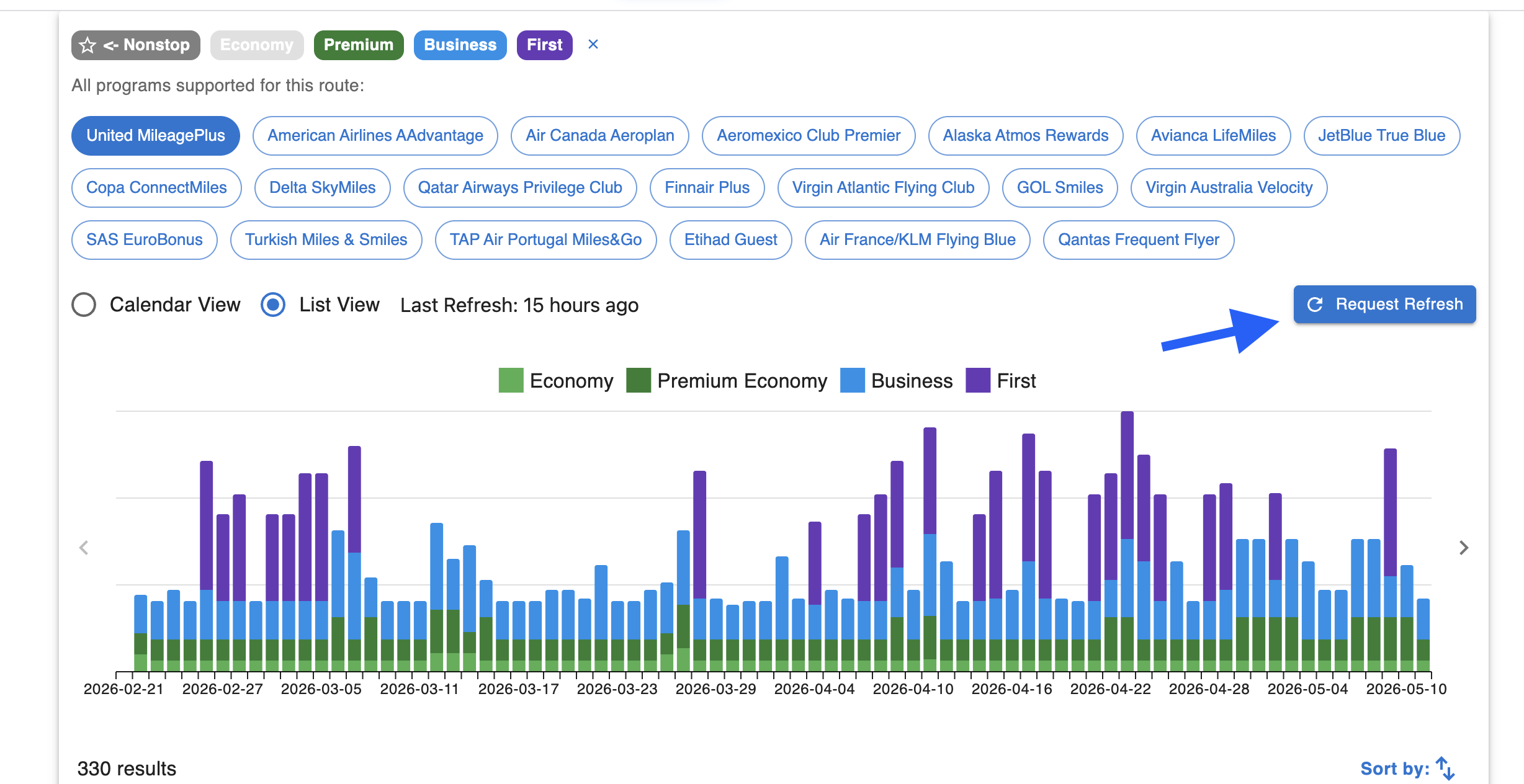
- List View: Need more details? Switch over to the List View using the toggle at the top of the page. Here, you'll find a helpful bar chart showing availability volume over time. Below that, you get a detailed breakdown of each flight, including the exact point cost, estimated taxes and fees, and the exact number of seats currently available in each cabin class.
5. Check All Supported Programs for Your Route
Award availability is rarely limited to just one airline. When you are on the route detail page (especially visible in List View), you will see a section titled "All programs supported for this route." This area displays clickable tags for every single loyalty program we track for that specific origin and destination (e.g., United MileagePlus, Virgin Atlantic, Avianca LifeMiles, etc.). This makes it incredibly easy to compare which program offers the best deal for the exact same flight.
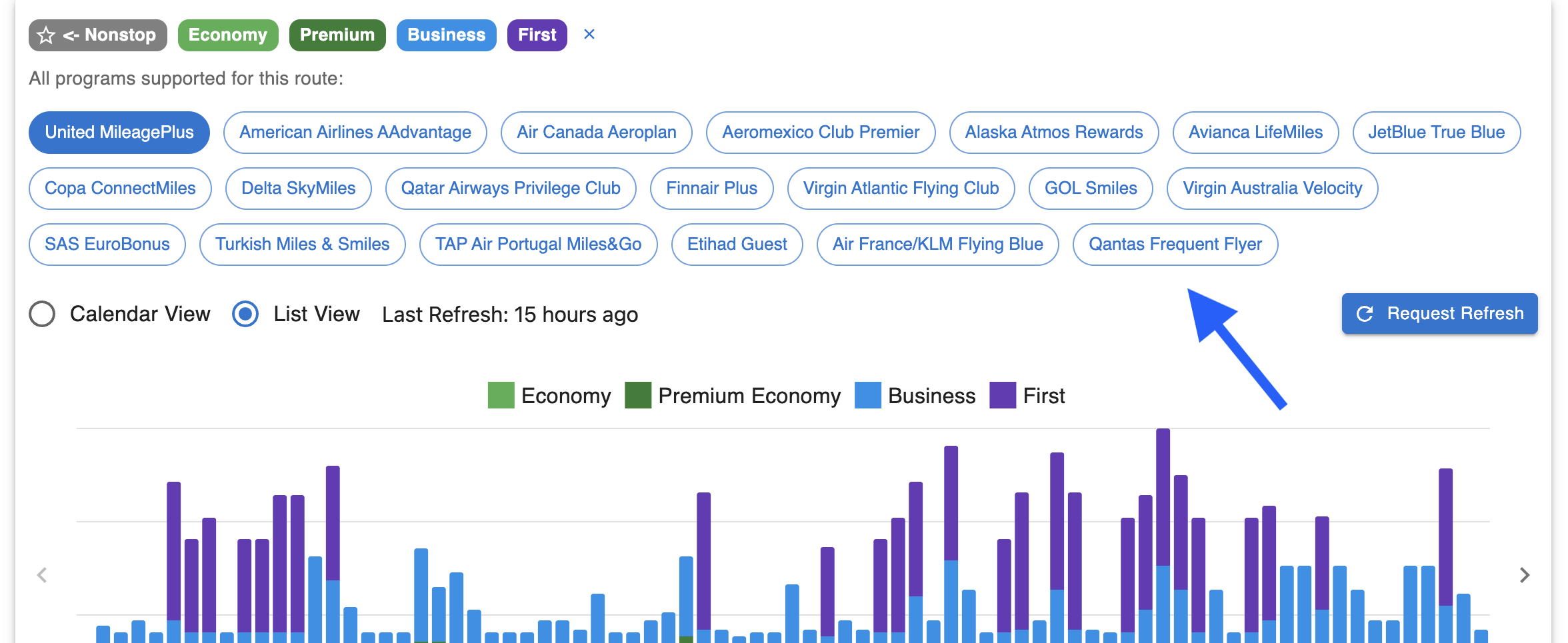
6. Keep Data Fresh with "Request Refresh"
Award availability changes constantly as people book flights and airlines release new seats. We show you exactly when the data was "Last Refresh."
If the data looks a little old, or if you just want to be absolutely certain before you transfer your credit card points, click the blue Request Refresh button in the top right corner.
How it works: We will immediately start searching for the newest availability in the background. You don't need to sit around waiting—you can close the tab or look at other routes. Once the fresh data is fully loaded, we will send you an email notification so you can jump back in and secure your booking!
Need Help?
Contact support at team@awardtool.com