Mastering AwardTool: How to Use the Deals Feature
Last modified on
Looking for travel inspiration or trying to find the absolute best ways to spend your credit card points? The Deals feature on AwardTool is your ultimate discovery engine. It instantly scans thousands of routes to surface the best award flight availability.
Here is a step-by-step guide on how to use the Deals feature to book your next dream vacation.
Step 1: Access the Deals Hub
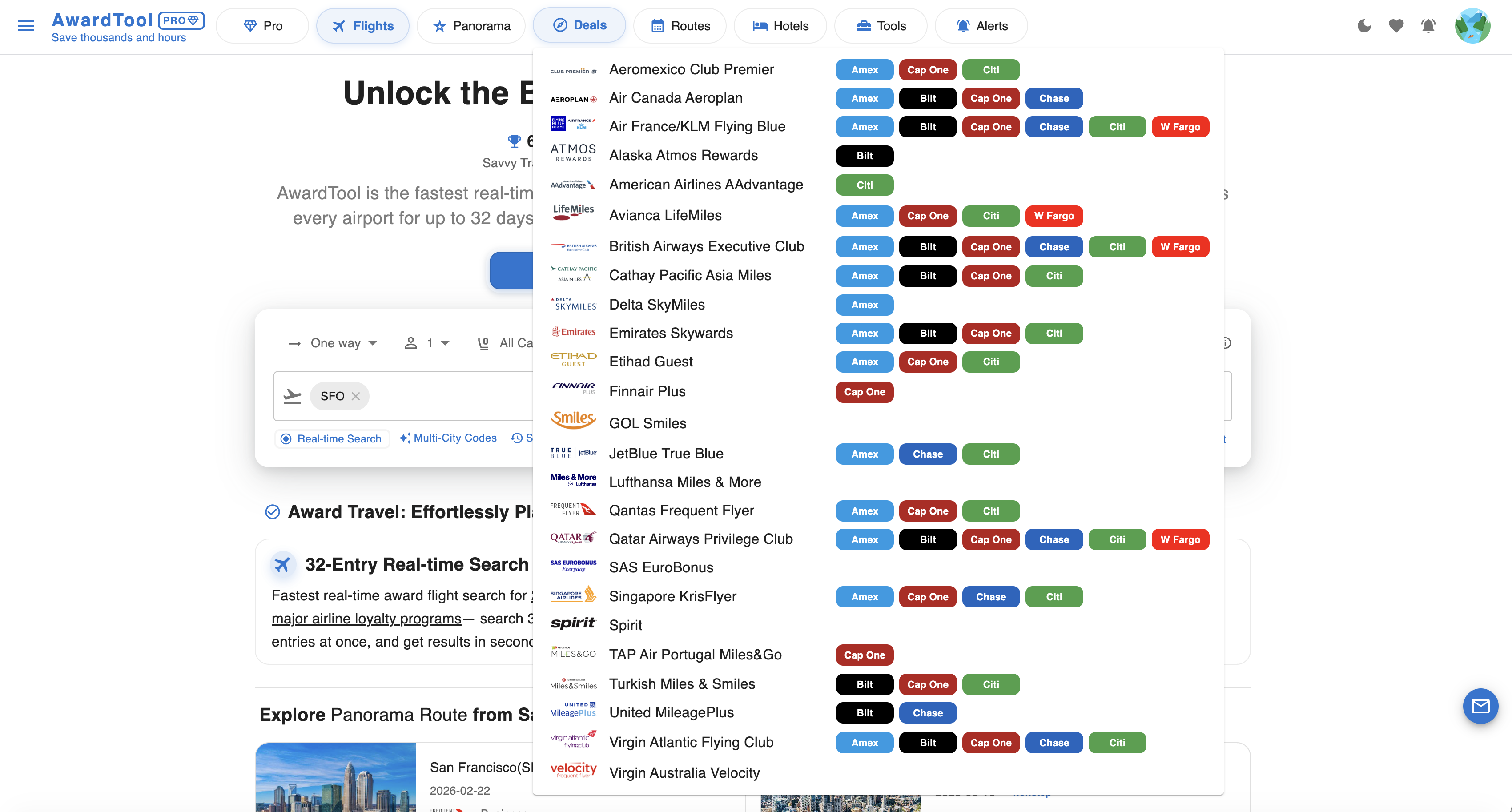
Getting started is simple. Navigate to the top menu bar of AwardTool and locate the Deals tab.
When you hover over the tab, a dropdown menu will appear showing a comprehensive list of airline loyalty programs and their corresponding credit card transfer partners (Chase, Amex, Bilt, Capital One, etc.). From here, you have two choices:
- View All: Click the main “Deals” tab to find deals across all available airline programs.
- Be Specific: Click on a specific program (e.g., Air France/KLM Flying Blue or United MileagePlus) to check the deals exclusively for that airline.
Step 2: Search Broadly Across the Globe
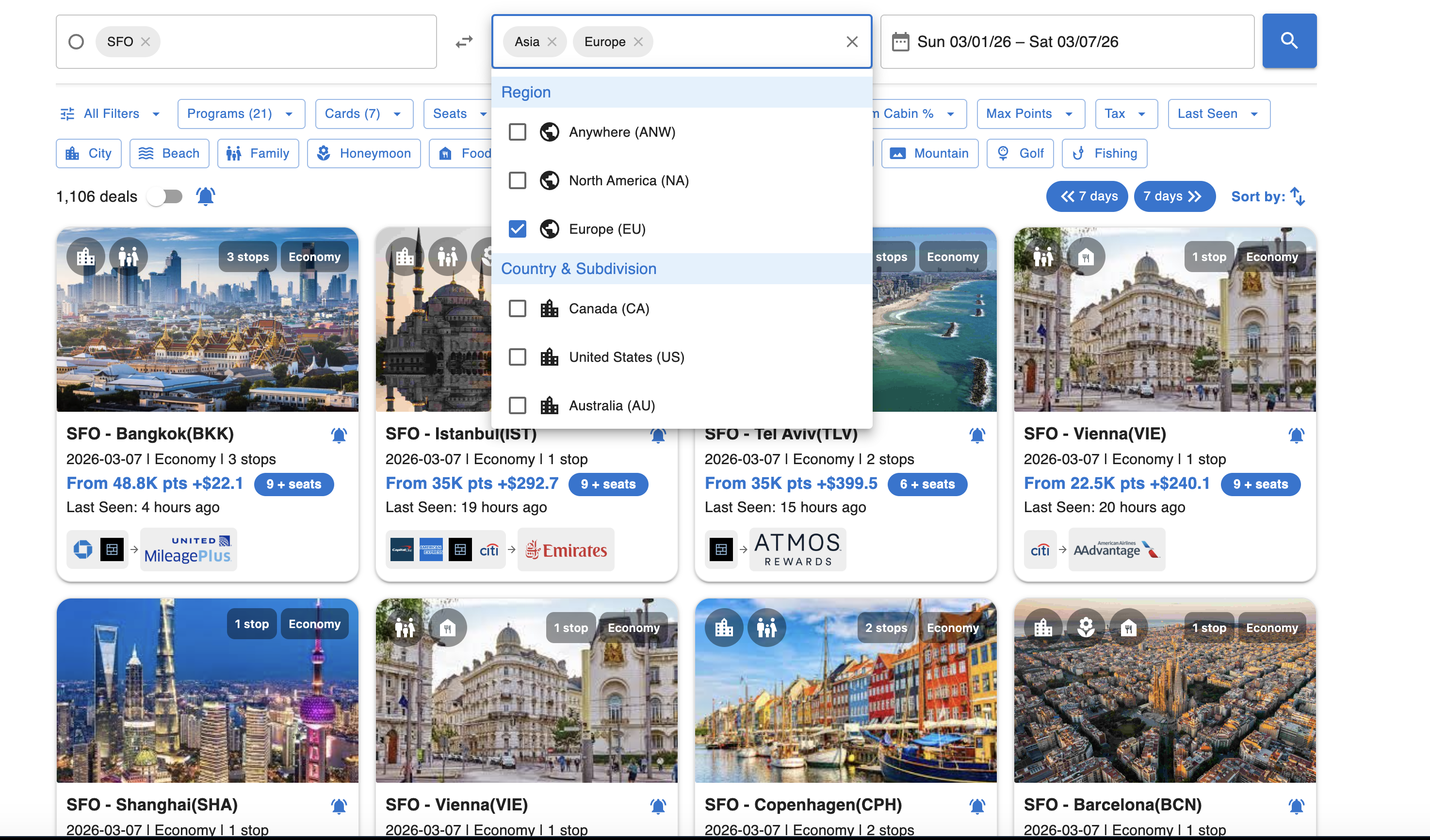
You don't need to know exactly where you want to go to find a great flight. The Deals search engine is built for ultimate flexibility.
Instead of being limited to specific airport codes, you can search for deals across entire continents, countries, regions, and airports. For example, you can set your departure to SFO and select both Asia and Europe as your destinations. Once you hit search, the system rapidly scans the data, and the best available deals will return within seconds.
Step 3: Filter for Your Perfect Flight
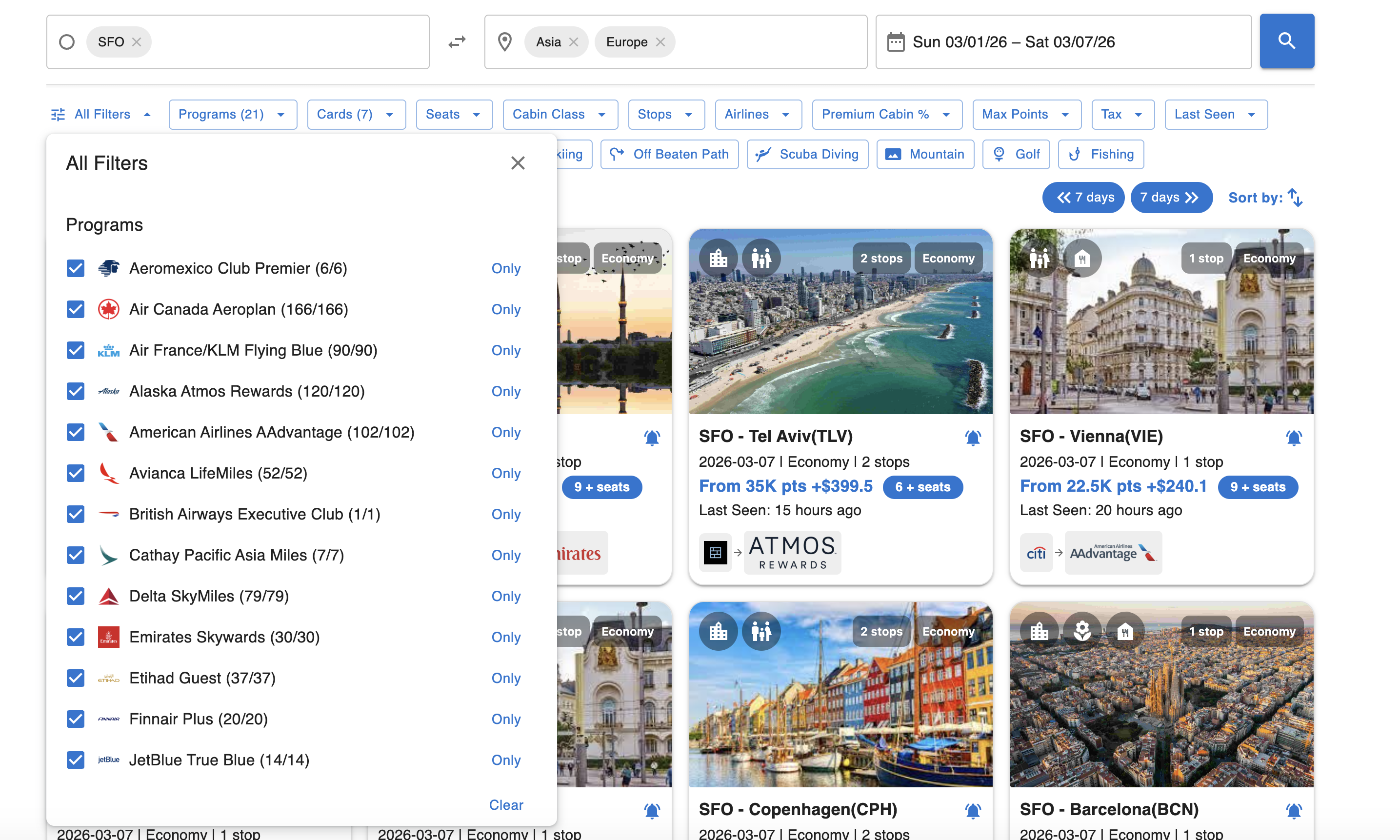
Once your results populate as a grid of deal cards, you can fine-tune them so they perfectly fit your needs.
Use the quick-access filter buttons across the top or click All Filters to open the advanced menu. Here, you can easily check or uncheck specific loyalty programs, select your preferred cabin class (Economy, Business, First), limit the number of stops, and cap the maximum points or taxes you are willing to pay. You can even filter by vacation type, such as “Beach,” “Family,” or “Mountain”!
Step 3b: Understanding Each Deal Card
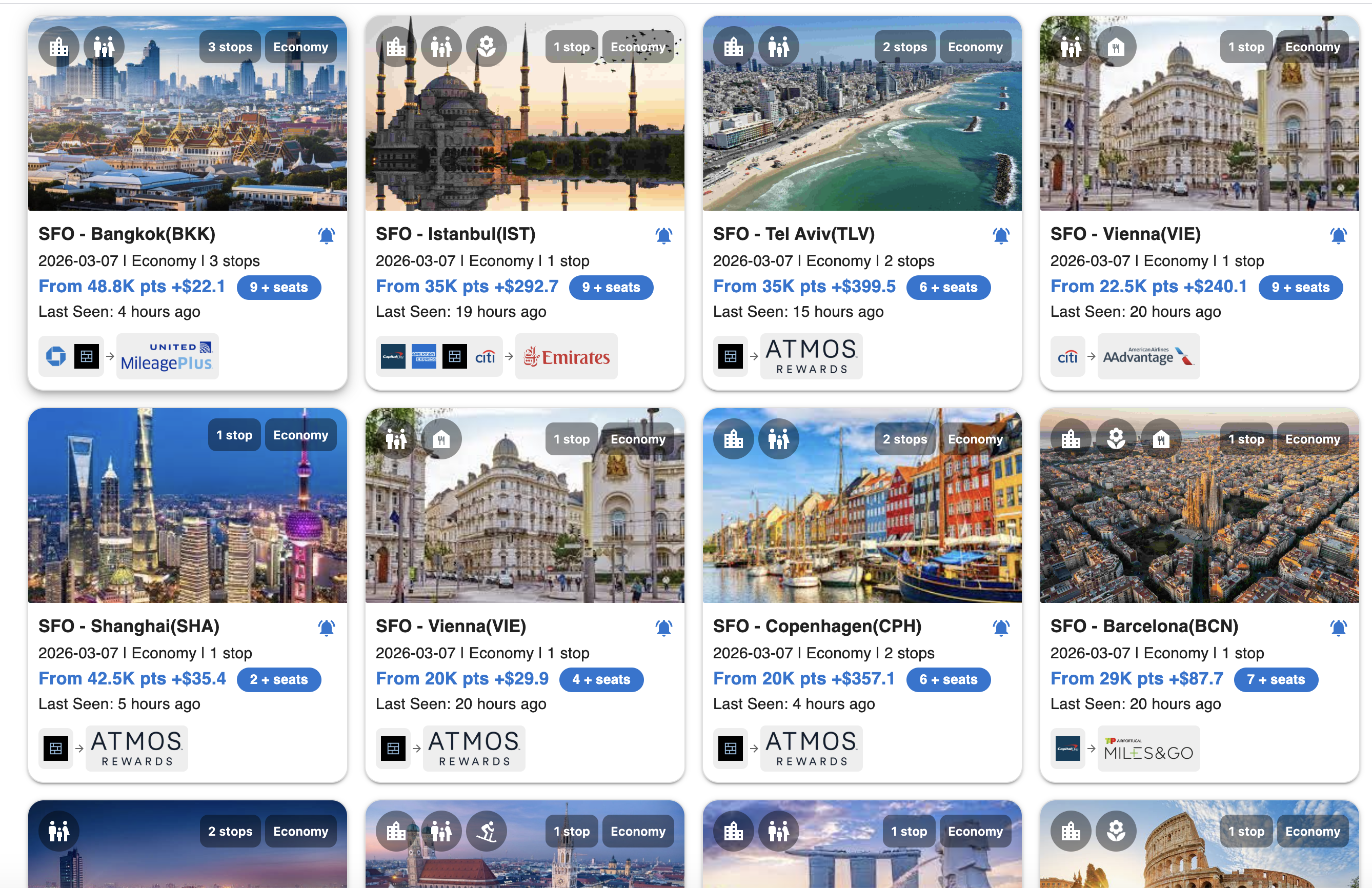
Each deal card is packed with information so you can evaluate a flight at a glance — no clicking required. Here is what you will find on every card:
- Destination Photo: Every card features a stunning photo of the destination city, so you can instantly picture yourself there and get excited about the journey ahead.
- Activity Tags: Displayed as small icons across the top of the card, these tags highlight the types of experiences you can expect at the destination—whether that is sightseeing, beach relaxation, outdoor adventure, family fun, or culinary exploration. It is travel inspiration at a glance.
- Cabin & Stops: The tags at the top of the card show the cabin class (e.g., Economy, Business) and the number of stops for that itinerary.
- Points & Taxes: The highlighted price line shows the minimum points required and the estimated taxes or fees, so you know exactly what you are spending before you click.
- Seats Available: A seat count badge (e.g., 9+ seats, 2+ seats) lets you know how much space is left, helping you act fast on limited availability.
- Last Seen Time: Each card shows when the availability was last confirmed (e.g., “Last Seen: 4 hours ago”), giving you a sense of how fresh the data is.
- Transfer Options: The bank and airline logos at the bottom of each card show which credit card programs you can transfer points from to book that specific flight.
- Panorama Alert: See a deal you love but are not ready to book yet? Click the bell icon on the card to set a Panorama Alert. AwardTool will notify you the moment that availability changes, so you never miss your window.
Step 4: Dive Into the Flight Details
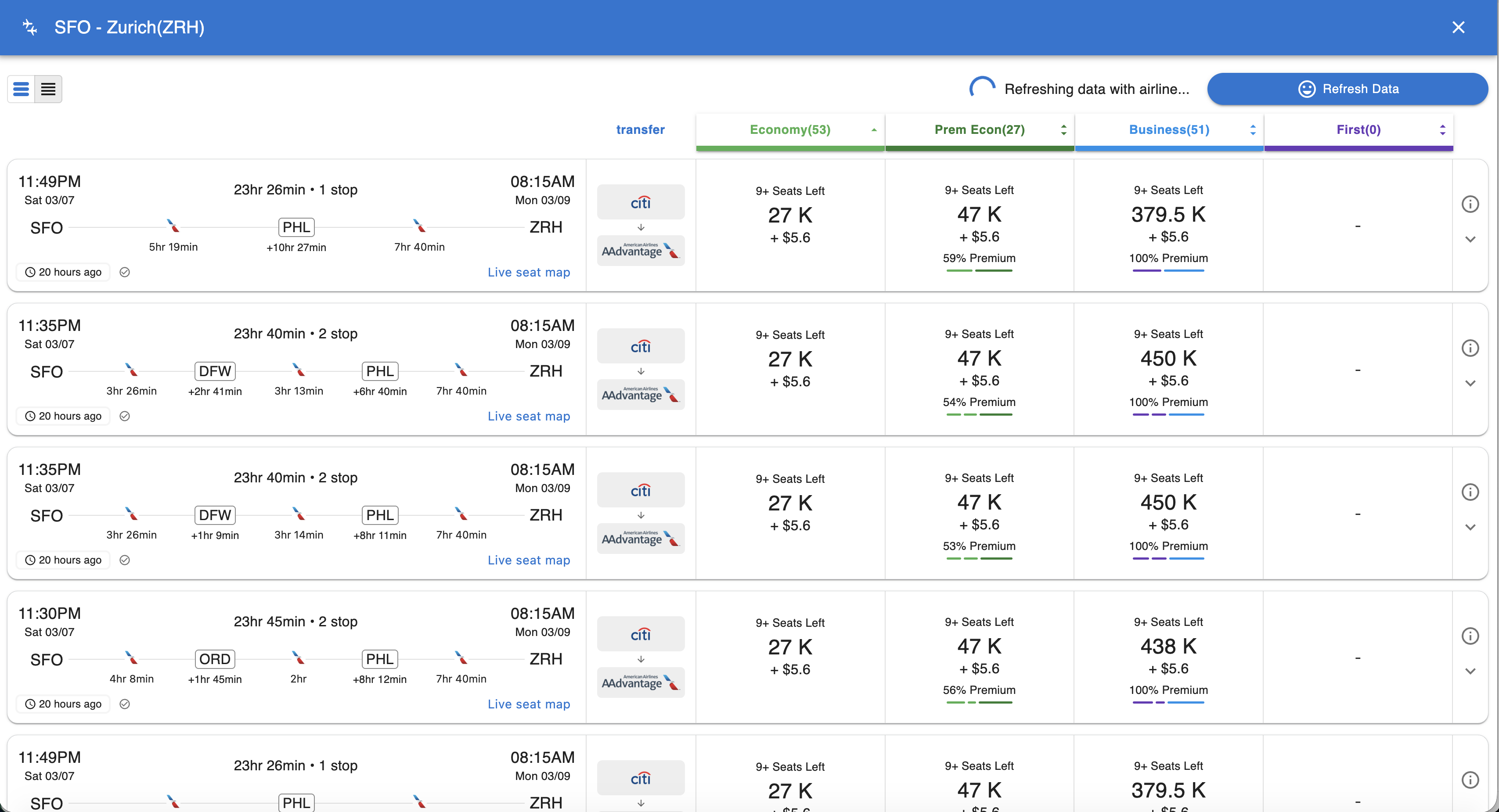
When a deal catches your eye—like a 35K point flight to Istanbul or a 22.5K point flight to Vienna—simply click on the deal card.
This will open a detailed view of the flight information. You will be able to see the exact departure and arrival times, the duration of any layovers, the operating airlines, and the breakdown of points and taxes for every available cabin class on that route.
Step 5: Real-Time Availability Check
Award availability changes by the minute, and AwardTool ensures you never waste time looking at “phantom” space.
As soon as you click into the flight details, the deal will refresh immediately. You will see a “Refreshing data with airline...” indicator at the top of the screen. AwardTool is actively pinging the airline in real-time to double-check that your target seats are still there and ready to be booked!
Need Help?
Contact support at team@awardtool.com